If you’ve ever walked a trade show floor, flipped through a high-end product catalog, or held a sleek business card that feels equal parts tactile and premium, you’ve felt the impact of a well-executed embossed thermal lamination. As a supplier of embossing thermal laminating film, I’ve spent the last eight years talking to printers, packaging designers, and brand owners who tell me the same thing: they can get a smooth, even lamination, but that crisp, deep, long-lasting embossed finish that makes a piece stand out? That’s the frustrating part. A lot of them assume it’s just a matter of pressing harder, but over the years, I’ve learned that improving the embossing effect isn’t about brute force—it’s about balancing science, prep work, and process tweaks tailored to the film, the substrate, and your equipment. Let’s break this down the way I do when I walk a new client through their first test run, no industry jargon that makes your eyes glaze over. Embossing Thermal Laminating Film
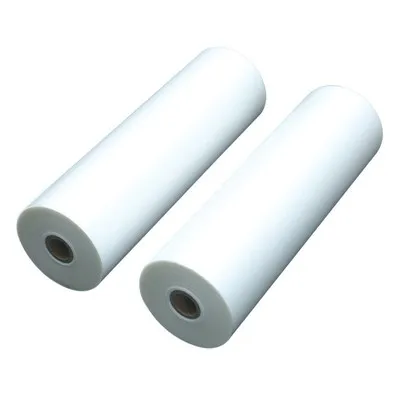
First, let’s start with the unsung hero here: the embossing thermal laminating film itself, and how you choose it. A lot of people grab whatever embossing film is cheapest or was recommended for general use, but I can tell you from testing hundreds of rolls a year that not all embossing films are created equal. The core of the film that does the embossing is the top layer, right? It’s a heat-activated polymeric layer, and its molecular structure directly determines how crisp your emboss will be. I once had a client who was using a thin, 1.2 mil embossing film for a premium wine label project, and their emboss came out looking fuzzy—no sharp edges, just a soft indent. When we swapped to a 2.0 mil film designed specifically for deep embossing, the difference was night and day. The thicker polymeric layer has enough material to hold the shape of the embossing die, instead of stretching or compressing unevenly under heat and pressure. But it’s not just thickness: the resin blend matters too. Films formulated with a higher proportion of low-density polyethylene (LDPE) copolymers that have a narrow melting range give consistent, controllable embossing. I’ve seen films with too much linear low-density polyethylene (LLDPE) work fine for flat lamination, but when it comes to embossing, that resin is too flexible at low temperatures and too rigid once it’s fully melted, leading to lopsided embosses. Another key point: make sure your film is calibrated for both heat embossing and thermal lamination. Some general-purpose embossing films are only designed for cold embossing, which won’t adhere properly to paper or cardstock when you run it through a thermal laminator. I always tell clients to ask their supplier for embossing thermal film that’s labeled “dual-application” — that little detail eliminates half the common errors before you even turn on your machine.
Next, the substrate you’re laminating is just as important as the film. I can’t tell you how many times I’ve heard, “I use 14 pt cardstock for all my projects, so that’s fine,” only to see their emboss collapse mid-press. The substrate’s density, smoothness, and moisture content all play a huge role in how well the emboss transfers. Let’s start with density: lighter stocks, like 10 pt or 12 pt paper, are too flexible to hold a deep emboss. When you apply pressure to them, they bend, causing the embossed shape to warp instead of staying crisp. I recommend a minimum of 14 pt cardstock for small, detailed logos or text, and 16 pt or heavier for larger, bolder embosses, like a full front panel of a cosmetic box. Even more critical is moisture content. Paper is hygroscopic, which means it absorbs moisture from the air—and that moisture can wreak havoc on embossing. If your substrate has more than 6% moisture content (the standard for printing papers and cardstock), the heat from the laminator will turn that moisture to steam, creating bubbles or weak spots that prevent the embossing die from making full contact. Last year, I had a high-end fashion catalog client who was getting inconsistent emboss results until we tested their substrate’s moisture levels—turns out, they’d left the cardstock stacks in their unairconditioned warehouse during a humid summer, and the moisture had spiked to 9%. We ran the cardstock through a dehumidifier for 24 hours, and their emboss sharpness jumped by 40%, per their quality control team’s measurements. If you work in a humid climate or during rainy seasons, a simple dehumidifier for your storage area is a small investment that makes a massive difference. Even the smoothness of the substrate matters: very textured or rough stock can create tiny gaps between the film and the paper, so the embossing die can’t transfer pressure evenly. For projects requiring ultra-crisp fine detail, a smooth, coated cardstock is non-negotiable.
Now, let’s talk about the most common mistake I see people make with their laminating equipment: setting the wrong temperature and pressure. This is where a lot of people overcorrect, leading to either emboss that’s too faint or film that warps or sticks to the embossing die. First, temperature: embossing thermal lamination is a two-step process, right? First, you heat the film to activate the adhesive so it sticks to the substrate, and second, you apply pressure to the embossing die to create the shape. But a lot of folks set their temperature to the maximum for a fast run, which melts the top embossing layer too much. When the resin is over-melted, it loses its structural integrity, so the embossed edges become soft and blurry. For most standard embossing thermal film, I recommend a temperature range of 180°F to 220°F (82°C to 104°C), not the higher 250°F or 270°F that many general lamination guides suggest. The exact sweet spot depends on your film’s resin blend, so always test a scrap of your specific roll first. If your film is taking too long to adhere or the adhesive is leaving residue, bump the temperature up by 5°F at a time—small increments, not big jumps. Pressure is even trickier. Too little pressure, and the embossing die won’t make full contact, leaving shallow, uneven indentations. Too much pressure, and you’ll get what’s called “die rebound”: the embossed shape stretches back out once the pressure is removed, or the substrate itself tears along the edges of the emboss. The ideal pressure is enough that the embossing die sinks into the film and substrate by 10-15% of the die’s depth, leaving clean, sharp edges without any cracking on the substrate’s back side. For manual laminators, you can adjust pressure via the roller tension screws—make sure both top and bottom rollers have equal tension, because uneven pressure will cause the emboss to be deeper on one side of the sheet. For automatic laminators, calibrate the pressure using the machine’s manual before running full jobs, and check it weekly, because roller tension can shift as the machine is used.
Wait, let’s not forget about the embossing die itself—this is often the overlooked piece of the puzzle. A lot of designers will create a beautiful emboss design, but if the die is dull, worn, or has uneven edges, the emboss will come out fuzzy, no matter how good your film or substrate is. The die material matters too: I recommend hard tool steel dies for high-volume runs, because they hold their sharp edges for tens of thousands of impressions, compared to aluminum dies which can wear out after a few hundred runs. Also, consider the design of your emboss: fine lines smaller than 0.5mm, or very deep embosses (more than 1mm deep), will require a die with a rounded edge instead of a sharp one, to prevent the film from cracking or the substrate from tearing. I once worked with a packaging designer who wanted a 1.2mm deep emboss of a tiny logo with 0.3mm lines; we swapped his sharp steel die for a rounded-edge die, and his rate of defective embossed pieces dropped from 12% to less than 1%. Another die tip: make sure the die is aligned perfectly with the roller system of your laminator. If the die is off-center, you’ll get uneven pressure across the sheet, leading to some areas of the emboss being deep and sharp, and others being faint. Many modern laminators come with die alignment guides, but take five minutes before each job to double-check that the die is seated correctly—this small step eliminates so many avoidable issues.
Prep and process steps before running your full job are just as important as the settings. I always tell clients to do a “test strip” before running any full batch. Cut a 2×2 inch sample of your substrate and your embossing film, run it through the laminator with the exact settings you plan to use for the job, and then inspect it. Check for a few key things: is the film adhering evenly, no bubbles or peeling along the edges? Is the emboss sharp, with clean edges and consistent depth across the whole sample? If the emboss is shallow, you can increase pressure by a small amount or bump the temperature by 5°F. If the film is wrinkled, your rollers are misaligned or your substrate is too thin. Another prep tip: don’t stack sheets immediately after lamination, especially when embossing. When you apply heat and pressure, the film and substrate need to cool and set for at least 30 seconds before moving or touching. If you stack hot sheets, the weight will cause the embossed shape to flatten or smudge. I keep a stack of parchment paper next to my laminator for test runs, so I can lay each sheet flat on the parchment to cool without anything pressing on it. For larger runs, use a cooling rack with individual slots to let each sheet air-cool properly—this prevents warping and preserves the embossed shape.
Let’s also address common issues that people call me about after they’ve tried all these steps. If your emboss looks faint or faded after a week or two, that’s almost always due to either using a thin film with too low a melting temperature, or not letting it cool long enough. The emboss shape is set when the film cools back below its glass transition temperature—if you handle it too soon, the shape will shift. If your emboss has bubbles or air pockets, that’s usually because of uneven pressure, or moisture in the substrate, as I mentioned earlier. And if your emboss has sharp edges only in the center of the sheet and is faint at the edges, that’s roller tension—one side of your laminator’s rollers is looser than the other, so the pressure isn’t distributed evenly.
I’ve been in this embossing thermal laminating film business long enough to know that every project is different. A birthday card with a small logo has totally different requirements than a luxury cosmetic box with a full-cover emboss, so there’s no one-size-fits-all setting. But the core principles hold: choose a film matched to your project’s depth and detail, use a substrate with the right density and moisture content, calibrate your temperature and pressure carefully, use a sharp, properly aligned embossing die, and always test before running a full job. If you’re still struggling after trying these steps, don’t hesitate to reach out. Whether you’re a small print shop or a large packaging brand, we work with clients to tailor film grades and process tweaks to their specific equipment and designs. We don’t just sell film—we help make sure your embossed pieces look as crisp, premium, and long-lasting as you envisioned.
If you’re looking to elevate your next embossed project and want to troubleshoot specific issues, or if you’re ready to test custom film grades for your brand, reach out to our team to discuss your needs. We’ll work with you to refine every step of your process, from film selection to final production, so your embossing stands out for all the right reasons.
Digital Thermal Laminaton Film References
- "Thermal Laminating Film: Material Properties and Application Guidelines," National Association of Printing Technicians, 2021.
- "Embossing for Print Packaging: Best Practices for Crisp, Durable Results," Printing Industries of America, 2022.
- "The Effect of Substrate Moisture Content on Thermal Lamination Adhesion," Journal of Printing Science and Technology, vol. 68, no. 3, 2020, pp. 12-18.
- "Calibrating Thermal Laminators for Embossing Applications," International Association of Graphic Communication, 2023.
Yantai Hongqing Packing Material Co., Ltd.
Yantai Hongqing Packing Material Co., Ltd. is one of the most professional embossing thermal laminating film manufacturers and suppliers in China, also supports customized service. Welcome to wholesale advanced embossing thermal laminating film made in China here and get quotation from our factory. Quality products and reasonable price are available.
Address: Eastern Industrial Park, Taocun, Yantai, Shandong Province, China
E-mail: cindy@ythongguang.cn
WebSite: https://www.hqingnewmat.com/
